
Ask a room of small business owners whether they have a firewall and most hands go up. Ask what it is and the answer is usually “the box from Telus” or “the one from Shaw”. Those boxes do provide a basic barrier, and for a home that is fine. For a business with customer records, a card terminal, remote staff and a server or two, it leaves a lot open. This article explains what a business firewall actually does, when a small business needs one, and the part vendors do not emphasise: the subscription is what does most of the protecting.
What the ISP router does, and what it does not
The modem/router from your internet provider does network address translation (NAT), which hides your internal devices behind one public address, and it blocks unsolicited inbound connections by default. That stops the most naive attacks. It does not look inside the traffic that your own staff start, which is where nearly all modern attacks arrive: a link in an email, a compromised website, a file that phones home once it is opened. It has no meaningful logging, its firmware is updated when the provider gets round to it, and the moment someone forwards a port to reach the office camera system or a remote desktop from home, the barrier has a hole in it that never closes.
What a business firewall adds
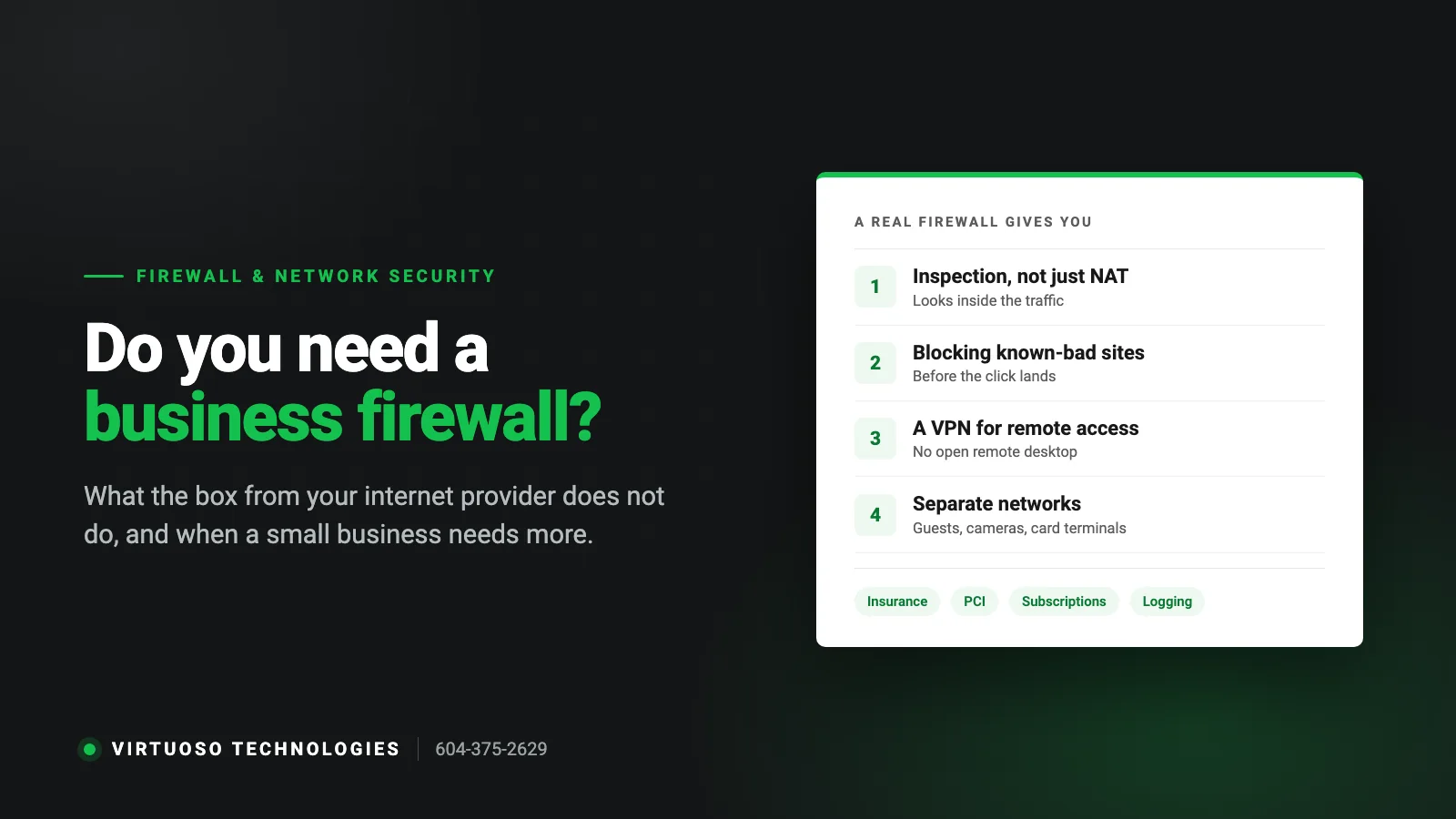
- Inspection of outbound traffic. When a PC inside the office tries to connect to a known malware or command-and-control server, the firewall blocks it. This is what turns a click on a bad link into a log entry instead of an incident.
- Web and content filtering. Blocking known phishing and malware sites, and optionally categories you do not want on the work network. Also useful for keeping the guest Wi-Fi off the accounting server.
- Intrusion prevention (IPS). Recognises attack patterns in traffic, such as attempts to exploit a vulnerability in your server or a piece of software, and drops them.
- A proper VPN for remote access. Staff working from home connect through an encrypted tunnel with MFA instead of an open remote desktop port, which is one of the most common ways ransomware gets in.
- Network segmentation. Separate networks for staff, guests, security cameras, card terminals and phones, so a compromised camera cannot reach the file server and a customer on the guest Wi-Fi cannot see your printers.
- Logging and alerts. When something does go wrong, you can see what happened, when and from which machine. Insurers and forensic investigators ask for this.
- Geo-blocking and application control. Blocking connections from countries you never do business with, and controlling which applications can talk to the internet.
The subscription is the firewall
Here is the part that catches people out. A business firewall from any of the well-known vendors ships with a security services subscription, typically one to three years, that keeps the threat lists, web categories and intrusion signatures up to date. When it expires, the box keeps passing traffic and keeps looking like a firewall, but the protection quietly stops. We regularly find firewalls in Surrey offices that were installed properly five years ago and have been running on an expired subscription for three. If you have one, find the renewal date today. If nobody knows it, assume it has lapsed.
When a small business needs one
Not every business needs enterprise gear, but the threshold is lower than most owners think. You need a business firewall if any of these apply:
- You keep customer records, patient files, financial data or anything covered by privacy law on a server or NAS in the office.
- You take card payments through a terminal or point-of-sale system on the same network as everything else. Payment card rules (PCI DSS) require a firewall and network segmentation.
- Staff access the office from home, or a vendor has remote access to a system such as cameras, a phone system or a piece of equipment.
- You have applied for cyber insurance. The form asks. See our cyber insurance requirements guide.
- You offer guest Wi-Fi and do not have a separate network for it.
- Downtime costs you money. A firewall with a second internet connection can fail over automatically when the main one drops.
A sole trader with a laptop, cloud software and no office network can reasonably rely on a good endpoint security product and MFA. The moment there is an office with several devices sharing a connection, the calculation changes.
What it involves in practice
For a typical Surrey or Langley office of five to fifty people, a firewall installation looks like this: measure what actually crosses the line so the unit is sized for your traffic rather than a price list; put the provider’s modem in bridge mode; build the networks (staff, guest, phones, cameras, card terminals) and write down which port does what; set up the VPN and MFA for remote staff; turn on the security services; and then review the logs monthly, in plain English, so you know what it is blocking. The box is the smallest part of that. Our managed IT support service includes the firewall, its subscription and the monthly review, which is the only way we have found to keep it from being forgotten.
How to tell if your current firewall is doing anything
- Find out what it is. If the only device between your network and the internet is the provider’s modem/router, you do not have a business firewall.
- If you do have one, log in and check the licence or subscription status page. Note the expiry date.
- Check when the firmware was last updated. Vendors publish security fixes for firewalls themselves; an unpatched firewall is a target.
- Look for port forwards or “open” rules. Remote desktop (port 3389) exposed to the internet is the one to remove today.
- Ask whether guests, cameras and card terminals are on separate networks. If nobody can answer, they are not.
Questions Surrey business owners ask us about firewalls
Is the router from Telus or Shaw a firewall?
It does basic NAT and blocks unsolicited inbound connections, which is a firewall in the narrowest sense. It does not inspect outbound traffic, filter malicious websites, prevent intrusions, provide a VPN or separate your networks, and its logs are minimal. For a home it is adequate; for a business with data to protect it is a starting point, not a firewall.
Do I still need a firewall if everything is in the cloud?
A firewall does less for you when there is no server in the office, but the office network still has PCs, printers, phones and Wi-Fi on it, and staff still click links. Outbound filtering and network separation still matter, and cyber insurers still ask the question. The unit can be smaller and simpler, though.
How often does a firewall need to be updated?
Firmware every few months, or immediately when the vendor publishes a security fix. The threat lists and signatures update themselves several times a day as long as the subscription is active. Rules should be reviewed whenever something changes, such as a new remote worker or a vendor needing access.
What happens when the firewall subscription expires?
Traffic keeps flowing, so nobody notices. The web filtering, intrusion prevention and malware blocking stop receiving updates and, on most models, stop working entirely. Check the expiry date and put it in the calendar a month ahead.
Can a firewall slow down our internet?
An undersized one can, especially with inspection turned on, which is why the unit should be chosen from measured traffic rather than the number of staff. A correctly sized firewall adds no noticeable delay, and one with a second connection for failover makes the internet more reliable, not less.
Need a hand with your IT, phones or website?
We look after IT, phone systems, websites and marketing for small businesses across Surrey, Langley and Metro Vancouver. Call 604-375-2629 or send us a message and tell us what is going on.