
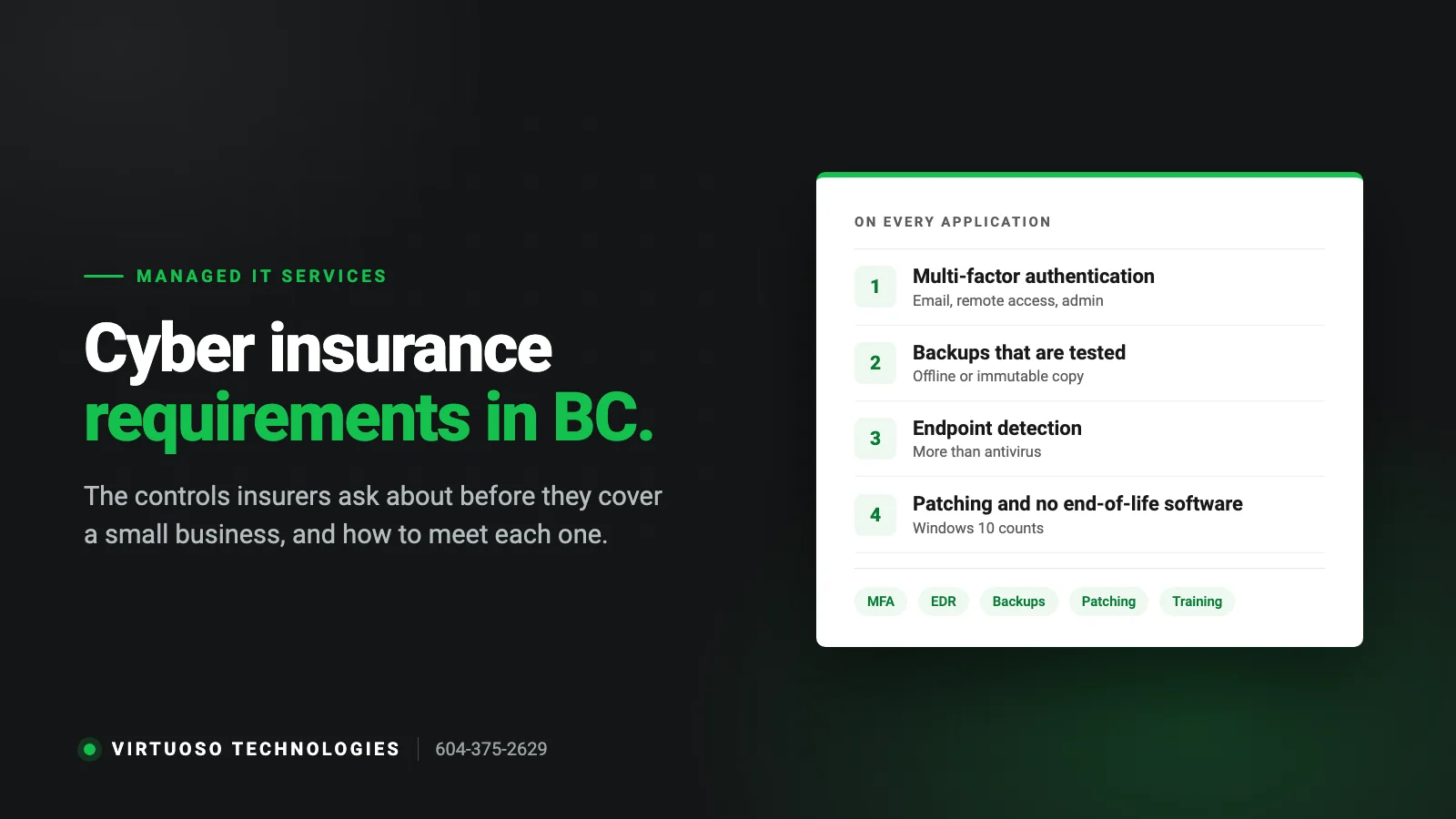
A few years ago cyber insurance for a small business was a short form and a modest premium. After a run of ransomware claims, insurers changed the rules. Today the application asks specific technical questions, some answers disqualify you outright, and a claim can be denied if the answers turn out to be untrue. If you run a business in Surrey, Langley or anywhere in BC and your broker has sent you one of these forms, this is what it is asking for and what it takes to say yes honestly.
Why the questions got so specific
Insurers found that most of the claims they paid came from a handful of causes: stolen passwords without a second factor, backups that were encrypted along with everything else, unpatched systems and phishing emails. So the application now checks for the controls that stop those. Answering “yes” to a question you cannot back up is worse than answering “no”: if there is a claim, the insurer will investigate and can void the policy for misrepresentation. Treat the form as a checklist of what your IT needs to actually be doing.
The controls that appear on almost every application
1. Multi-factor authentication (MFA)
This is the one most likely to be a hard requirement. Insurers want MFA on email (Microsoft 365 or Google Workspace), on any remote access such as VPN or remote desktop, and on administrator accounts. Many now ask about MFA on backups and cloud admin consoles as well. For a small business on Microsoft 365 this is mostly a matter of turning on the right policies and getting staff through the enrolment, but it needs doing for every account, including the shared mailboxes and the owner’s account that “does not need it”.
2. Backups that are separate, and tested
The question is not “do you have backups” but “are your backups offline or immutable, are they encrypted, how often are they taken, and when did you last test a restore”. A backup drive plugged into the server permanently does not count, because ransomware encrypts it too. What insurers are looking for is a copy that an attacker with your passwords cannot reach, usually cloud backup with immutability or versioning, plus a documented restore test. Our guide to choosing an IT company covers what to ask about backups for the same reason.
3. Endpoint detection and response (EDR)
Traditional antivirus matches known bad files. EDR watches behaviour, so it can catch an attack that uses legitimate tools, and it lets someone isolate an infected machine remotely. Forms increasingly ask for “EDR” or “managed detection and response” by name, and some ask which product. Consumer antivirus, or the free tool that came with the laptop, will not satisfy this.
4. Patching, and no end-of-life software
Expect questions about how quickly critical updates are applied and whether any unsupported software is in use. This is where a lot of BC businesses will stumble in 2026: Windows 10 stopped receiving security updates in October 2025, and PCs still running it without Extended Security Updates are end-of-life by definition. The same goes for old server versions, unsupported firewalls and that one machine running the label printer. See our note on Windows 11 on older PCs for the options.
5. Email security
Because most incidents start with an email, forms ask about spam and phishing filtering, whether attachments and links are scanned, and whether SPF, DKIM and DMARC are set up on your domain so that criminals cannot send mail that looks like it came from you. These are configuration items rather than purchases for most Microsoft 365 tenants, but they are often left at defaults.
6. Security awareness training
Many applications ask whether staff receive regular phishing training and whether you run simulated phishing tests. It does not need to be elaborate: a short annual session and a simulated phishing campaign a few times a year is what most insurers have in mind, and it is what actually reduces clicks.
7. Access control and privileged accounts
Do staff work as local administrators on their PCs? Are there shared logins? Is there a process for removing access when someone leaves? Insurers ask because a stolen everyday password should not be able to install software or reach the server. Separate admin accounts, least-privilege access and a leaver checklist are the answers they want.
8. A firewall and network protection
Some forms simply ask “do you have a firewall”; better ones ask whether it is business-grade, whether its security subscriptions are current and whether remote access goes through a VPN rather than an open remote desktop port. We cover what counts as a real firewall in does a small business need a firewall.
9. An incident response plan
Usually a yes/no question. A one-page plan that says who to call, how to isolate machines, where the backups are and who talks to customers is enough for a small business, and it is worth having regardless of the insurance.
How to get from “no” to “yes” without a crisis
- Get the actual form from your broker before doing anything. Requirements differ between insurers, and the form tells you what to prioritise.
- Do the free and fast items first. MFA on email, SPF/DKIM/DMARC records, removing local admin rights and disabling accounts of former staff can be done in days.
- Fix the backups next. Add an off-site, immutable copy and run a real restore test. Write down the date.
- Replace what is end-of-life. Windows 10 PCs, unsupported servers and firewalls with lapsed subscriptions. Budget it over a few months if needed, but have a dated plan; some insurers accept a plan with a deadline.
- Put EDR and email filtering on a subscription that somebody monitors. A tool nobody looks at does not satisfy the intent of the question.
- Keep evidence. Screenshots of MFA policies, the backup restore log, the training date. If there is ever a claim, this is what proves your answers were true.
This list is, not by coincidence, most of what a managed IT service does month to month. If you already have one, ask them to fill in the technical section of the application with you; if the answers surprise you, that is worth knowing. If you do not, our managed IT support page describes what is included, and hourly vs managed IT explains why insurers tend to prefer the latter.
Questions BC business owners ask us about cyber insurance
Do I need cyber insurance if I have good IT security?
Security reduces the odds; insurance covers the cost when something gets through anyway, including legal fees, notification, forensic work and business interruption. Most businesses that handle customer data or take payments are better off with both, and some customers and contracts now require a policy.
Will the insurer really check my answers?
Not at application time, usually. After a claim, yes. Insurers investigate how an incident happened, and if the application said MFA was in place on email and it was not, the claim can be denied and the policy voided. Answer accurately and fix the gaps.
Does a small business in BC have to report a data breach?
It depends which law applies. Businesses covered by the federal PIPEDA must report breaches that pose a real risk of significant harm to the Privacy Commissioner and to affected people. BC’s provincial PIPA has different rules, and contracts and payment card agreements add their own. Your policy will usually include help with this, which is one of its main values.
What is the difference between antivirus and EDR?
Antivirus blocks files it recognises as malicious. EDR (endpoint detection and response) watches how programs behave, so it can catch attacks that use legitimate tools or brand-new malware, and it lets a technician isolate a machine from the network remotely. Insurers ask for EDR because ransomware routinely walks past plain antivirus.
How long does it take to meet the requirements?
For a typical office of 5 to 30 people that is already on Microsoft 365, the configuration items (MFA, email authentication, admin rights) take days. Backups and EDR take a couple of weeks to roll out and verify. Replacing end-of-life hardware is the long pole, which is why it is worth starting before the renewal date rather than the week before.
Need a hand with your IT, phones or website?
We look after IT, phone systems, websites and marketing for small businesses across Surrey, Langley and Metro Vancouver. Call 604-375-2629 or send us a message and tell us what is going on.