
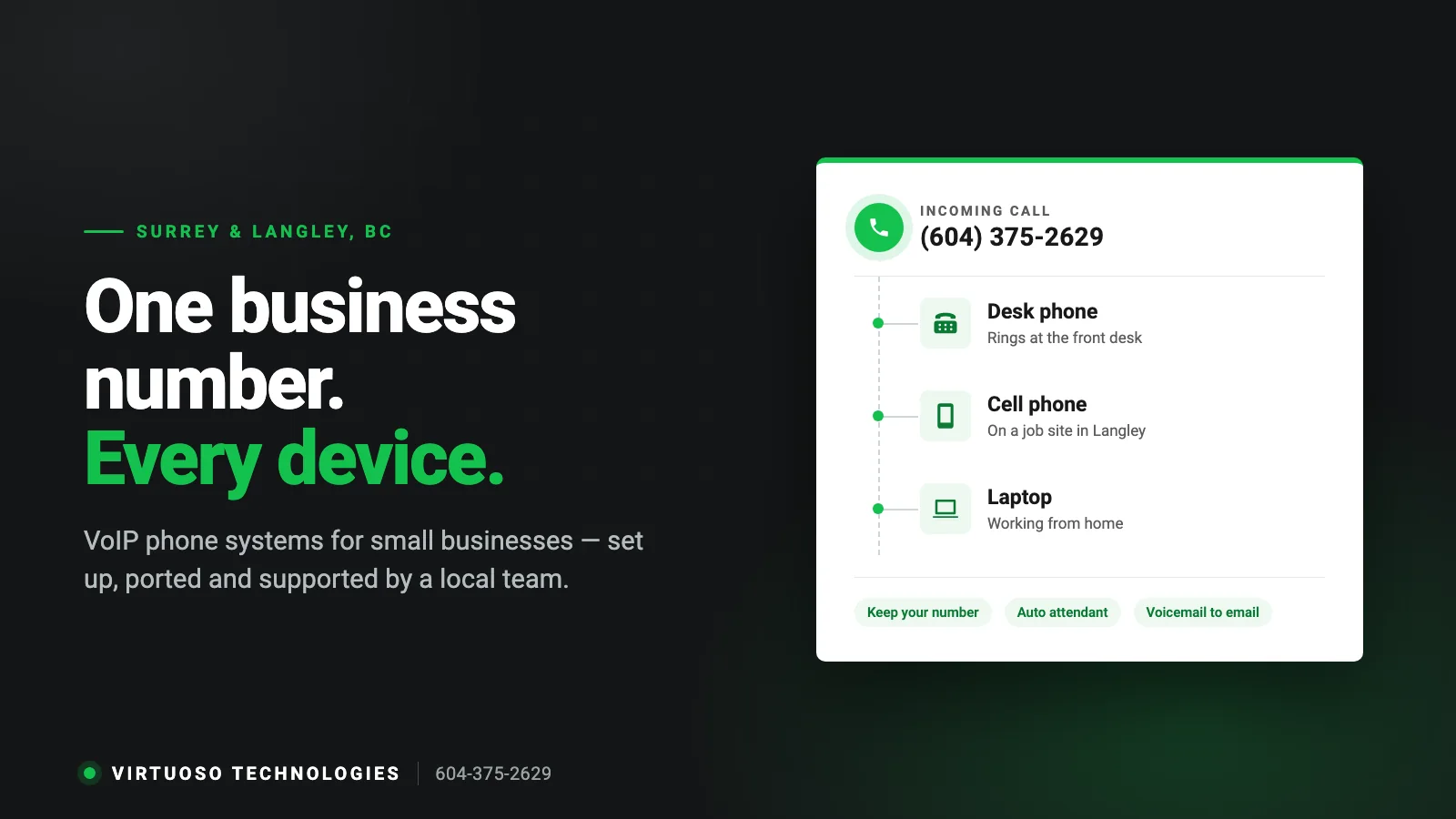
A customer calls your shop in Cloverdale at 4:40 on a Friday. The phone rings at the front desk, everyone is already out on a job, and the call rolls into a voicemail box nobody opens until Monday. By then they have called the next name on the list. That call was not lost because your team is careless. It was lost because the phone can only ring in one place.
Most of the small businesses we look after in Surrey and Langley — trades, clinics, shops, warehouses, offices of five to fifty people — are still answering calls on a system that was designed around a jack in the wall. A VoIP phone system changes that. Here is what it actually does, what to check before you switch, and how to move your number without losing a day of calls.
What VoIP actually means, without the jargon
VoIP (Voice over Internet Protocol) simply means your calls travel over your internet connection instead of a copper phone line. The practical difference is this: your business number stops belonging to a physical line and starts belonging to your account. Once it does, the same number can ring a desk phone, an app on a cell, a laptop, or all three at once.
Everything else people like about VoIP — the greeting menu, voicemail in your inbox, adding a user in minutes — comes out of that one change. Our earlier guide to switching to VoIP covers the general case; this one is about small businesses here in Surrey and Langley.
Five signs your current phone setup is costing you work
- Calls only ring in one place. If nobody is standing at that desk, the caller gets voicemail instead of a person.
- Staff hand out their personal cell numbers. Customers start calling the technician directly, the office loses sight of the job, and the number leaves with the employee.
- Nobody can tell you how many calls you missed last month. If you are spending money on Google or a van wrap, missed calls are the leak you cannot see.
- Adding a line means booking an appointment. A new hire or a second location turns into a wiring job.
- After-hours calls just disappear. There is no separate evening or weekend routing, so urgent calls sit in a mailbox.
What actually changes in the first week
A switch done properly is not dramatic. Your number stays the same, your customers notice nothing, and your team gets a handful of things they did not have before:
- One number, several phones. A call can ring the front desk, the owner’s cell and the shop phone at the same time, or in sequence, so someone answers.
- A greeting that sorts callers. “Press 1 for service, 2 for accounts” sends people to the right person instead of through three transfers.
- Business calls on personal phones, without the personal number. Staff call customers from the company number through an app, so the business keeps the relationship.
- Voicemail in your inbox. Messages arrive as email you can forward to whoever needs to follow up.
- After-hours and holiday routing. Different rules apply outside business hours, including sending urgent calls to an on-call cell.
- Call history you can look at. Who called, when, how long, and which calls nobody picked up.
Keeping your 604 or 778 number
This is the first question every owner asks, and the answer is almost always yes. Moving a number between carriers is called porting, and a local business number can generally be ported to a new VoIP system.
Two things make it go smoothly. First, the details on the port request have to match your current phone bill exactly — the account name, the service address and the account number, not the name of whoever happens to sign the form. Second, do not cancel your old service before the port completes. Cancelling early is the one reliable way to lose a number. The carriers set the porting date, it usually lands a few business days out, and the old line keeps working until calls start arriving on the new system.
Will it work on your internet connection?
A single call uses roughly 100 Kbps in each direction. Even a busy day at a ten-person office is a rounding error next to a business fibre or cable plan, so raw speed is rarely the problem. Stability is.
What actually causes the choppy calls people complain about is jitter and packet loss: a consumer router pushed past what it can handle, voice traffic competing with a cloud backup that runs at 2 p.m., desk phones sitting on a crowded guest Wi-Fi, or SIP handling in the router quietly mangling calls. Those are network problems, not VoIP problems, and they are fixable.
What we check before recommending a switch:
- Your real upload speed at the busiest time of day, not the number on the brochure.
- Whether desk phones can be wired instead of sitting on Wi-Fi, and whether the switch supplies power over Ethernet.
- Whether the router can prioritise voice traffic, and whether an old modem or double NAT is in the way.
- What happens when the internet goes down: calls should roll to cells automatically, on rules set up in advance rather than a panicked phone call to the carrier.
Many business addresses across Surrey and Langley now have fibre available. Where it is not, a business cable connection with decent upload handles a small office’s calls comfortably. If your connection turns out to be the weak link, we will tell you that before you sign anything — it is the same network we look after under managed IT support.
The part people skip: 911
911 works differently on a VoIP line, and it is worth five minutes of attention. The system sends the civic address registered on your account, so that address has to be correct and has to be updated when you move. For staff answering calls from home or a job site, a 911 call placed through the app may be routed to an emergency call centre that relays the details to the local dispatcher rather than going straight to E-Comm.
The practical rule for any Surrey or Langley office: keep your registered address current, make sure staff know which phone to grab in an emergency, and treat a cell phone as the fastest path when someone is away from the office.
What it costs — and what drives the price
VoIP is usually billed per user per month rather than per line, which is why it tends to work out cheaper for a small team. What moves the number up or down:
- How many people need an extension, and how many of those need a physical desk phone instead of the app.
- Extra numbers — for example a second local number so a Langley location can advertise its own line.
- Features beyond calling: call recording, reporting, contact-centre style queues.
- One-time work: porting your numbers, desk phones and headsets, and any network changes such as a PoE switch or cabling.
On the other side of the ledger, you stop paying line rental on every line, long distance usually costs less, and there is no aging phone box in the closet to maintain. Rather than quote a number that would not fit your business, we price your actual setup: tell us how many people answer phones and we will put it in writing.
How a switch usually goes
- Call flow on paper first. Who answers, what happens when they do not, what the greeting says, and what happens at 6 p.m. and on statutory holidays.
- Network check. Upload, router, switch, Wi-Fi and power for the phones, so call quality is not a surprise.
- Build and test in parallel. The new system is configured and tested with temporary numbers while your old phones keep ringing.
- Port, then stay close. Numbers move on the scheduled date, we are there for the first day, and we adjust the routing after a couple of weeks once the team has used it in real life.
Short checklist before you switch
- A copy of your most recent phone bill, with the account name and service address as the carrier has them.
- A list of every number on the account, including ones nobody thinks about.
- Which staff need a desk phone and which are fine with the app on a cell or laptop.
- What should happen after hours, and who is on call.
- An upload speed test taken at your busiest hour.
- The civic address you want registered for 911.
- Any analogue devices on your lines: fax, alarm panel, elevator phone, debit terminal.
That last one matters more than it sounds. Alarm panels, elevator phones and some payment terminals do not behave well over VoIP. There are clean answers for each — a cellular alarm module, electronic fax, or keeping a single analogue line — but you want to find them before the port, not after.
Questions Surrey and Langley owners ask us
Can I keep my existing business number?
In almost every case, yes. Your number is ported to the new system and customers keep calling the number they already know. The details on the port request have to match your current bill, and the old service stays active until the move is done.
Will my fax machine, alarm or debit terminal still work?
Not always over VoIP, and it is better to plan for that. Faxing is usually replaced with an electronic fax service, alarm panels are commonly moved to a cellular module, and payment terminals often run over the network or a cell connection instead. We go through the list of devices with you before anything is ported.
What happens if the internet goes down?
Calls follow a failover rule you set in advance, most often ringing your team’s cells so customers still reach a person. Because the rules live in the cloud rather than in a box at your office, they keep working even when the office does not.
Do we have to buy new phones?
Not necessarily. Plenty of small teams run entirely on the mobile and desktop apps. Desk phones make sense at a reception desk, a counter or a shop floor, and some existing IP phones can be reused if they are not locked to a previous provider.
Do you only work with businesses in Surrey?
We are based in Surrey and work across Langley, Cloverdale, Walnut Grove, Aldergrove, Delta, Burnaby and the rest of Metro Vancouver and the Fraser Valley. See the areas we serve.
How long does the whole thing take?
For a small office, the build and testing are usually the quick part; the porting date is set by the carriers and is the piece nobody can rush. We give you the schedule up front so you know exactly which day your calls move.
Where to start
If your phones are the thing quietly costing you jobs, start with the smallest question: when a customer calls right now and nobody picks up, what happens next? If you do not like the answer, that is the part worth fixing.
We set up and support VoIP phone systems for businesses across Surrey and Langley, including the network the calls run on. Call 604-375-2629 or send us a message and we will map out what your setup would look like.