
The lease is signed, the movers are booked, the new sign is ordered. Then, ten days before moving day, someone asks when the internet is being installed, and it turns out nobody has called the provider. That single missed phone call is the most common reason a new office opens with staff tethered to their cell phones.
Surrey and Langley are full of businesses moving into new units in Campbell Heights, Port Kells, Cloverdale, Willoughby and Gloucester. If you are one of them, this is the IT, internet and phone checklist we work from, arranged by how far ahead each item needs to happen. Want someone to run it for you? Call 604-375-2629.
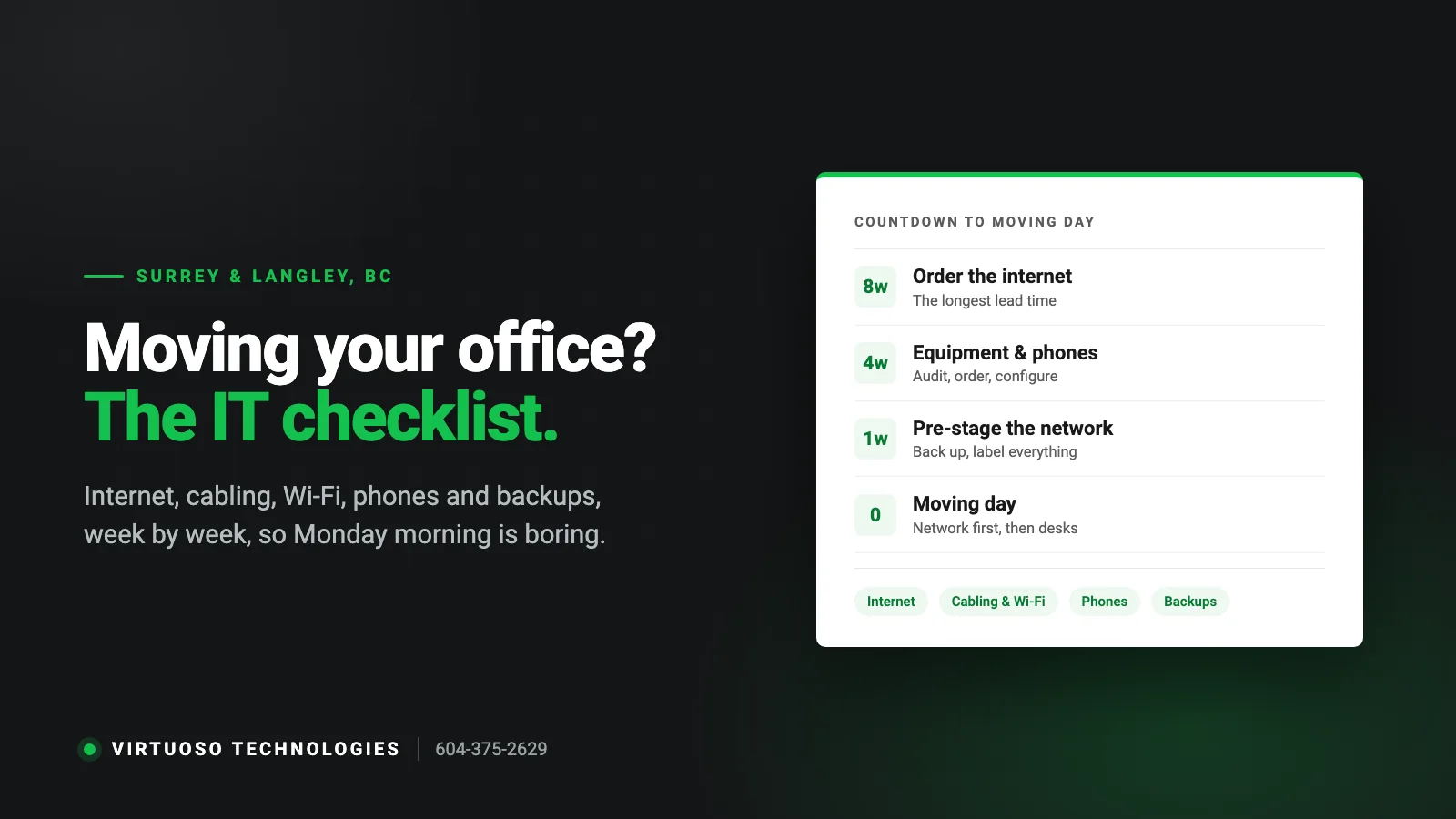
6 to 8 weeks before: the long lead-time items
Order the internet first
Business internet is the item with the longest and least predictable lead time. Check which providers actually serve the exact unit, not just the street: in newer industrial and mixed-use buildings, fibre may be in the building but not yet to your suite, and bringing it in can involve the landlord. Ask the landlord or property manager which carriers are already in the building, and place the order as soon as you have possession dates.
- Pay attention to upload speed, not just download. Cloud backups, video calls and VoIP all depend on it.
- If the business cannot run without internet, plan a backup connection from a different provider or a cellular failover.
- If you need a static IP for remote access, cameras or a VPN, order it with the service.
Walk the space with your IT provider
A one-hour walkthrough before the walls are finished saves thousands later. The things to settle:
- Where the network equipment lives. A ventilated closet or cabinet with power, not the cupboard under the sink or the top of a filing cabinet.
- Network drops. Count desks, then add printers, the boardroom, reception, the phone at the shipping door, cameras, the door-access panel and ceiling locations for Wi-Fi access points.
- Cabling. Have data cabling installed and tested before furniture arrives. It is far cheaper while the space is empty.
- Wi-Fi in warehouses and shops. Metal racking, concrete and high ceilings defeat consumer Wi-Fi. Plan access-point locations on a floor plan rather than guessing.
Decide what happens to the phones
A move is the natural moment to leave an old phone system behind. With a VoIP phone system, your number is no longer tied to the building, so phones can be set up at the new address in advance and calls simply start arriving there. If you are keeping traditional lines, your carrier needs notice to move them, and that lead time can be as long as the internet install. Either way, keep your existing number: our guide to VoIP for small businesses in Surrey and Langley explains how porting works.
3 to 4 weeks before: equipment and plans
- Audit what is moving. A move is the cheapest time to retire the eight-year-old PC and the switch nobody remembers buying. Anything still on Windows 10 is out of support and should be replaced or upgraded, not carried across town.
- Order new equipment early enough to have it configured before moving day: firewall, switches, access points, desk phones, any new computers.
- Decide about the server. If you still have one in a closet, ask whether it should move at all, or whether files and applications belong in Microsoft 365 or another cloud service now.
- Printers and copiers. Leased copiers usually have to be moved by the leasing company. Book it.
- Security systems. Alarm, cameras and door access often share the network. Bring those vendors into the plan so they are not drilling the week after you open.
- Update the 911 address on any VoIP service for the new location, effective moving day.
The week before
- Confirm the internet is live at the new address. Test it; do not take the installer’s word for it.
- Pre-stage the network. Firewall, switches and Wi-Fi installed, configured and tested in the new space before any staff arrive.
- Run a full backup and verify it. Equipment gets dropped, and drives that ran for years sometimes do not start again after a truck ride.
- Label everything. Every computer, monitor, dock and cable bundle gets the name of the person and the desk number it is going to.
- Photograph the back of anything complicated before unplugging it.
- Tell staff the plan: when to shut down, what to pack themselves, and when they can expect to be working again.
Moving day and the first morning
The aim is boring: people sit down on the first morning, log in and work. The order that gets you there is network first, then shared equipment, then desks.
- Shut down servers and network equipment properly, and transport servers and backup drives in a vehicle you control, not loose in the moving truck.
- Bring up the internet, firewall and Wi-Fi, then servers or cloud connections, then printers.
- Set up desks from the labels and test each one: login, internet, shared files, printing, phone.
- Test the things people forget: the debit terminal, the postage machine, the scanner, the boardroom screen, the alarm panel.
- Have your IT person on-site for the first morning. Small problems are inevitable, and fixing them in minutes instead of hours is the difference between a good move and a bad one.
The week after
- Cancel internet and phone services at the old address only after everything at the new one is confirmed working.
- Update your address on your Google Business Profile, website, email signatures and invoices. Customers and Google both rely on it.
- Wipe and recycle retired computers properly. Old drives hold customer data, and BC’s privacy law expects you to dispose of it securely.
- Update your network documentation and floor plan while it is fresh.
Opening a first office? A shorter list
If this is your first commercial space rather than a move, the essentials are: business internet ordered early, a proper firewall rather than the provider’s modem alone, business-grade Wi-Fi, Microsoft 365 with multi-factor sign-in for email and files, a backup of anything that is not already in the cloud, and a phone system that lets your number follow you. Getting those six right from day one is much cheaper than fixing them later.
Common questions
How far ahead should we start planning the IT for a move?
Six to eight weeks is comfortable, mainly because of internet installation lead times. It can be done faster, but the options narrow and the costs go up.
Can we move over a weekend without losing a working day?
Usually, yes, provided the internet is live and the network is pre-installed at the new location beforehand. Friday afternoon shutdown, weekend move, Monday morning support on-site is the normal pattern.
Should we reuse the cabling the last tenant left?
Sometimes. It needs to be tested and labelled first. Old or damaged cabling is a common cause of slow, flaky connections that get blamed on the internet provider.
Do you handle the whole thing or just the computers?
We plan and run the IT side end to end: internet coordination, network and Wi-Fi, phones, computers and the first-morning support, and we work alongside your cabling, alarm and copier vendors.
Moving or opening an office in Surrey or Langley?
We look after office moves as part of our IT services in Surrey and Langley, and as one-time projects. The earlier we see the floor plan, the smoother the move. Call 604-375-2629 or send us a message.