
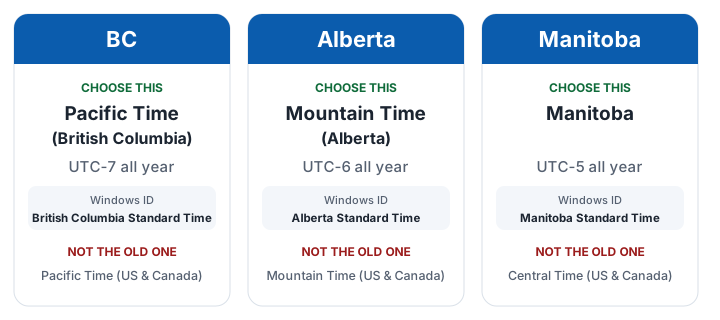
British Columbia Standard Time is the Windows name for BC’s new time zone, and Alberta and Manitoba have their own too. They are for the provinces’ move to permanent daylight time. Here is the one to choose.
Choosing the zone does not fix your meetings
Your clock and new meetings will be right. Meetings already on your calendar keep the old zone, so they still show an hour off.
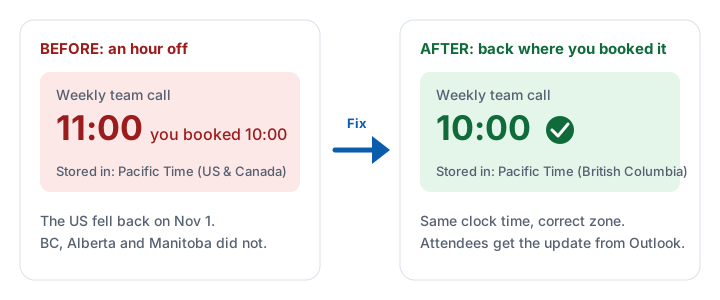
First 10 fixes free, then a one-time $5.99 CAD for every event in your account. Undo any time for 30 days.
New zone missing from your list?
- Windows: install the latest updates. See Microsoft’s KB5134344.
- Older Windows: versions that no longer get updates will not receive the zones.
- Outlook for Mac: update it. Some builds still label BC as UTC-08:00.
Questions
Why are the old zones wrong?
They follow the US, which still changes its clocks. They are an hour behind these provinces from Nov 1, 2026 to March 14, 2027.
Which time zone should I choose in Alberta?
(UTC-06:00) Mountain Time (Alberta).
2 thoughts on “British Columbia Standard Time in Outlook: The New Zones”
Comments are closed.