
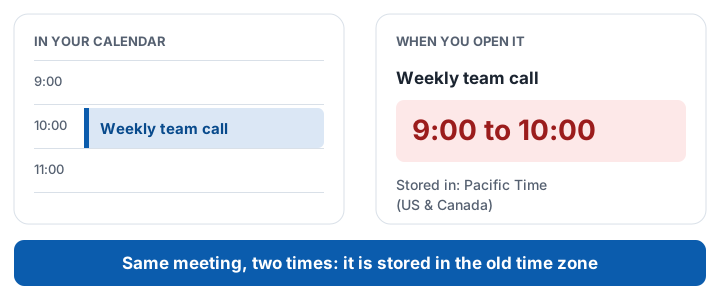
Your Outlook calendar shows a meeting at 10:00, but when you open it, it says 9:00. In BC, Alberta and Manitoba this usually is not a glitch. The meeting is stored in the old time zone, and parts of Outlook handle that differently.
First 10 fixes free, then a one-time $5.99 CAD for every event in your account. Undo any time for 30 days.
The fix: correct the stored time zone
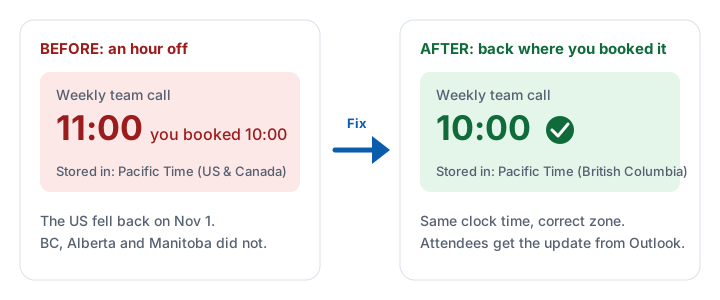
Restarting Outlook will not help, because the zone is saved on the meeting itself.
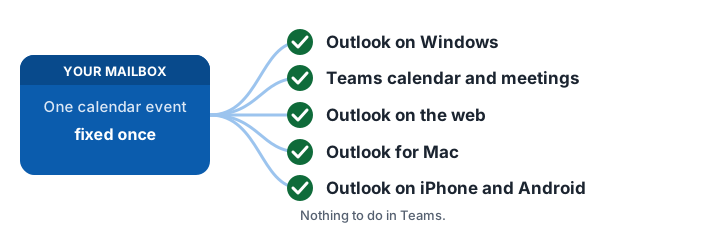
One fix shows everywhere
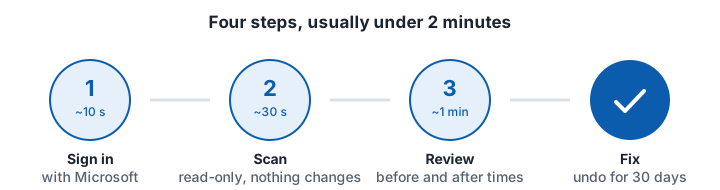
Done in four steps
Who can fix it?
- You organized it: change its time zone, or use the app. See the full guide.
- Someone else did: only they can fix it. The app prepares an email to each organizer.
- It repeats: see recurring meetings.
Questions
Why is my Outlook meeting one hour behind?
Meetings stored in the old US zones are an hour behind BC, Alberta and Manitoba from Nov 1, 2026 to March 14, 2027. Changing the stored zone fixes it.